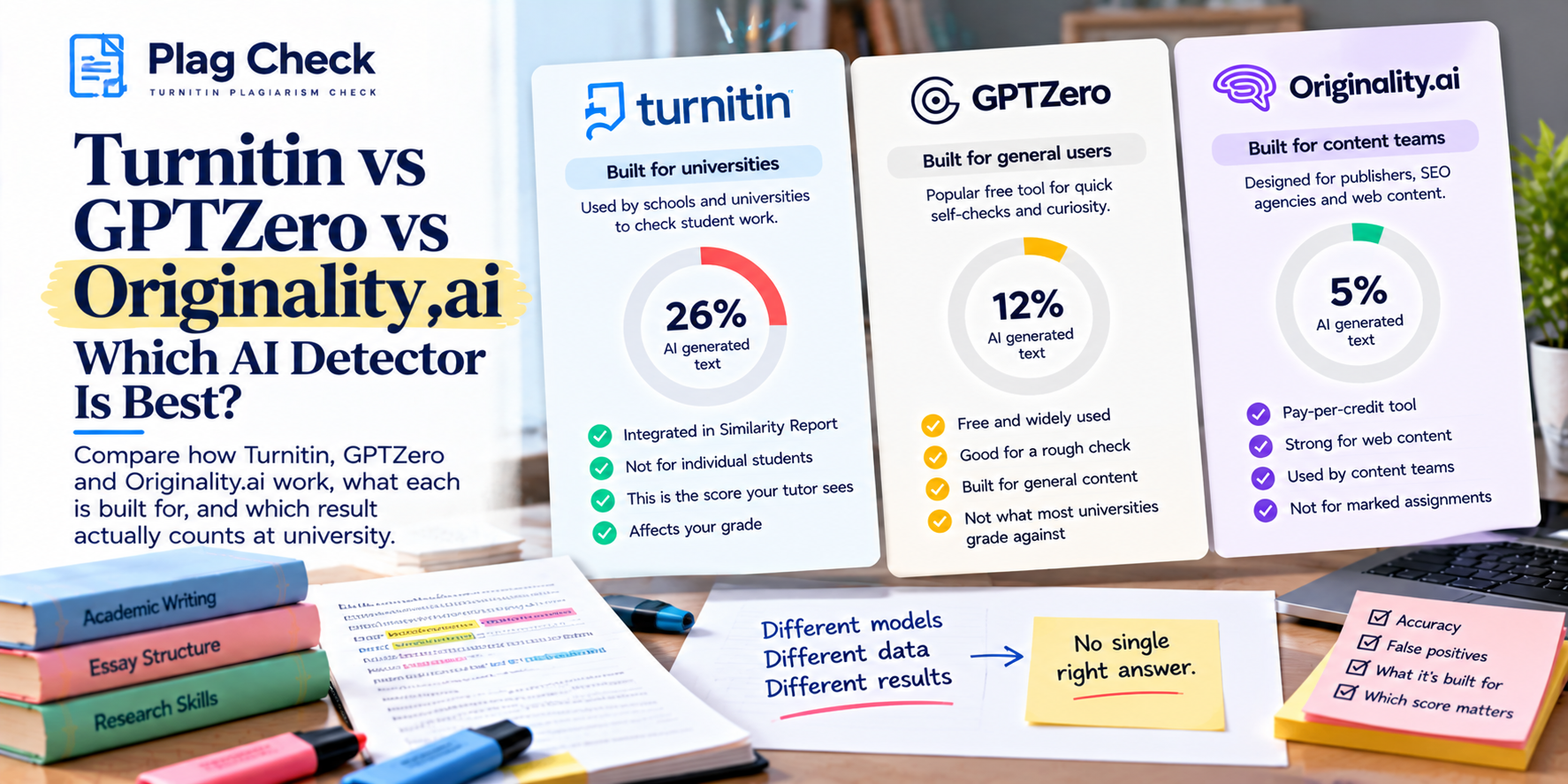
Turnitin and SafeAssign both check your text against databases of sources, but they are not the same. Turnitin compares against a much larger pool, including past student papers and licensed publications, and adds a separate AI writing indicator. SafeAssign is Blackboard’s built-in text-matching tool and does not have its own AI detector. In most setups Turnitin flags more.
If your school uses Blackboard, your work may be checked by SafeAssign instead of Turnitin, and the two reports look and behave differently. This guide explains what each tool checks, which one tends to be stricter, and why the same paper can score differently on each.
What is the difference between Turnitin and SafeAssign?
Turnitin is a standalone similarity service used by thousands of institutions. SafeAssign is a plagiarism tool built into Blackboard Learn. Both produce a percentage and highlight matching passages, but they search different databases and only Turnitin offers a dedicated AI writing report.
| Feature | Turnitin | SafeAssign |
|---|---|---|
| What it checks | Web, licensed publications, and a large archive of past student papers | Internet, institutional database, and a global reference database of submitted papers |
| AI writing detection | Yes, a separate AI indicator (where licensed) | No built-in AI detector (see note below) |
| Where you see it | Many LMSs: Canvas, Blackboard, Moodle, D2L | Blackboard Learn only |
| Report format | Similarity Report with colored match overview | SafeAssign Originality Report with source list |
| Student self-check | Sometimes, if the assignment allows drafts | Rarely visible to students before grading |
Database coverage is the headline difference. Turnitin’s archive of previously submitted student work is very large, so it is more likely to catch reused or shared papers that a smaller database misses. The exact sources each tool searches depend on your institution’s settings, so treat this as a general picture and verify with your course.
Which one is stricter, Turnitin or SafeAssign?
In most cases Turnitin flags more, for two reasons. Its matching database is larger, and it adds an AI writing score that SafeAssign does not have. A paper that looks clean on SafeAssign can still show matches or an AI figure on Turnitin, and the reverse is less common.
That said, strictness also depends on settings. Both tools let instructors exclude quotes, bibliographies and small matches, and those filters change the number far more than the choice of tool. A high score on either one is matching text, not proof of plagiarism; a person decides what it means.
Does SafeAssign detect AI writing like ChatGPT?
SafeAssign itself does not have a dedicated AI writing detector. It is a text-matching tool, so it compares your words against existing sources rather than judging whether a machine produced them. Some Blackboard institutions have piloted a separate AI detector inside SafeAssign’s reporting through an Anthology partnership, but availability varies and it is not standard.
So if your university uses SafeAssign, do not assume it is checking for AI, and do not assume it is not. Confirm with your instructor or academic integrity policy. For how Turnitin’s AI side works, read Turnitin AI detection explained and does SafeAssign detect ChatGPT and AI writing? for the full picture.
Why does the same paper score differently on each?
Because the tools search different databases and apply different filters. Turnitin may match your paper against a past submission or a licensed journal that SafeAssign cannot see, and each institution sets its own exclusions. A 7 percent on SafeAssign and a 19 percent on Turnitin for the same essay is a normal, expected gap.
This is why a clean result on one tool does not promise a clean result on the other. If your work will be marked with Turnitin, a Turnitin-based check is the one that reflects what your instructor sees.
Check the report your instructor actually sees If your school marks with Turnitin, get a Turnitin similarity and AI report on your draft in about 15 minutes. No account needed. Your draft is never added to Turnitin’s database. Check my document.
How do you read a SafeAssign score?
SafeAssign shows an overall percentage and a list of matched sources, each with its own percentage. Open the source list, start with the largest match, and check whether it is quoted and cited or copied without credit. As with Turnitin, the matches matter more than the headline number.
The reading process is almost identical to a Turnitin report. Our guide to the Turnitin similarity report walks through the same steps in detail.
What databases does SafeAssign check against?
SafeAssign compares your work against several sources: live internet pages, your institution’s own database of submitted work, a shared global reference database of papers from other institutions, and some licensed academic content. The exact mix depends on your school’s configuration, so two institutions running SafeAssign can return different results on the same paper.
The shared and institutional databases are why a classmate’s work, or your own earlier submission, can appear as a match. This is the same reason Turnitin flags past papers, though Turnitin’s archive is larger, which is part of why its scores tend to run higher.
Does SafeAssign save my paper to a database?
It can. Depending on the assignment settings, your submission may be added to your institution’s database or the global reference database, which means a later submission of the same work can match it. If you check an early draft through a graded SafeAssign assignment, your final version may then match that stored draft.
This is the same repository trap that catches students on Turnitin. If you want to check a draft without it being stored against you, use a no-repository check. Our guide to whether checking saves your paper explains how to avoid a stored draft matching your final submission.
Which should you use to check before submitting?
Use whichever matches your institution. If you are marked with SafeAssign through Blackboard, a SafeAssign draft (if your instructor allows one) is closest. If you are marked with Turnitin, a Turnitin-based pre-check reflects the real report. Checking against the wrong tool can give false reassurance.
Frequently asked questions
Is SafeAssign the same as Turnitin?
No. Both check text similarity, but they are separate products with different databases. SafeAssign is built into Blackboard; Turnitin works across many systems and adds an AI writing report.
Is Turnitin stricter than SafeAssign?
Usually, yes. Turnitin’s database is larger and it includes an AI writing indicator, so it tends to flag more on the same paper. Filters set by your instructor also affect the number.
Does SafeAssign check for AI?
SafeAssign has no built-in AI detector. A few Blackboard institutions have tried a separate AI tool inside SafeAssign, but it is not standard. Check your own course.
Why is my SafeAssign score lower than Turnitin?
They search different databases. Turnitin can match sources, including past student papers, that SafeAssign cannot, so its score is often higher on the same work.
Can I see my SafeAssign report before I submit?
Only if your instructor enables a draft or self-check. Many SafeAssign assignments do not show students the report before grading.