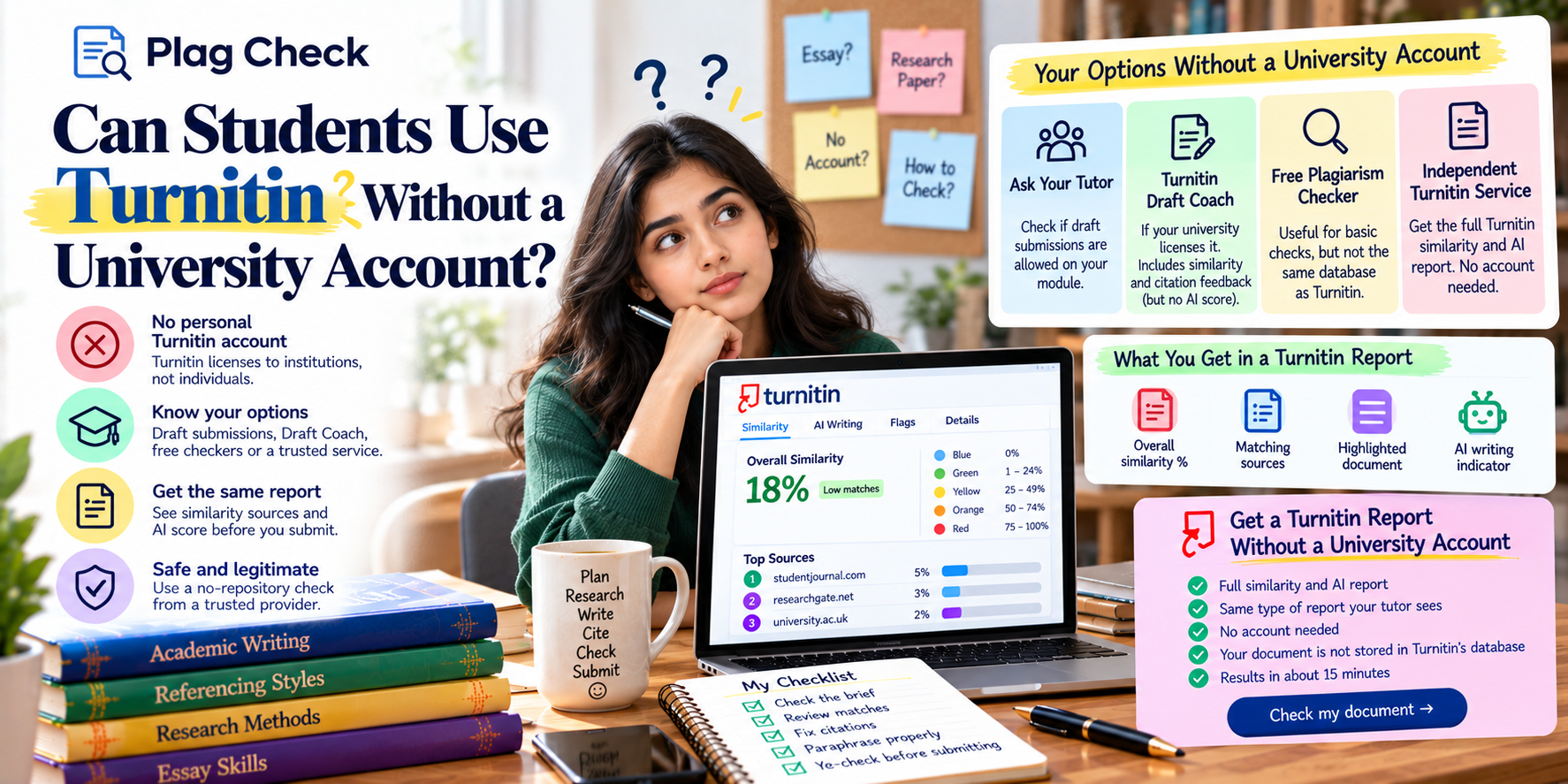
A Turnitin similarity report shows how much of your document matches text in Turnitin’s database of web pages, publications and past student papers. It gives an overall percentage, a colour band, a ranked list of matching sources and your text with each match highlighted. It does not decide whether you plagiarised; your tutor does.
The similarity report is the part of Turnitin most students see, and the part most often misread. A high number can be harmless and a low number can hide a real problem. This guide walks through every section of the report, explains how the score is calculated and shows you how to work through it in the right order.
If you also have an AI writing score, that is a separate measurement. Read Turnitin AI detection explained for that side.
What is a Turnitin similarity report?
It is the document Turnitin produces after comparing your submission with its content database. It shows the share of your text that matches other sources and exactly where those matches are. Universities use it as evidence to review, not as an automatic plagiarism verdict.
Turnitin compares your work against three broad pools of content: the public web (including archived pages), published academic and commercial content it has access to, and its archive of previously submitted student papers. That last pool is why your own earlier submission, or a classmate’s, can appear as a match.
Your tutor sees the report through your university’s learning platform. Depending on the assignment settings, you may see it too, or you may not see anything until marks are released.
How is the similarity score calculated?
The score is the percentage of your document’s words that match one or more sources in Turnitin’s database. If 300 words of a 2,000-word essay match other content, the score is around 15%. It counts matched text, not the number of sources, and it is shown after any filters your tutor has applied.
Two consequences follow. First, a properly quoted and cited passage still counts as matched text unless your tutor excludes quotes. Second, the same essay can show different scores depending on whether the bibliography, quotes and small matches are filtered out. That is why you should never compare your score with a friend’s without knowing the settings.
What do the colours and match numbers mean?
The colour shows which band your overall score falls into, from blue (no matches) to red (75% or more). Inside the text, each source has its own colour and number, and every highlighted passage carries the number of the source it matches, so you can trace each match back.
| Colour | Similarity range | What it usually means |
|---|---|---|
| Blue | No matching text | No matches found against Turnitin’s database |
| Green | One matching word to 24% | Typical for well-referenced work; still read the matches |
| Yellow | 25% to 49% | Worth a careful review of the largest sources |
| Orange | 50% to 74% | Large share of text matches; likely needs revision |
| Red | 75% to 100% | Most of the text matches existing sources |
The colours are a quick visual guide, not a pass or fail. A green 20% made up of one long uncited paragraph is more serious than a yellow 26% made up of correctly quoted material and common phrases. For more detail, read Turnitin colours’ meaning.
What do the match overview and sources show?
The match overview lists every source that matches your text, ranked by how much of your document it accounts for. Each entry shows the source type (internet, publication or student paper) and its percentage. Clicking a source jumps to the matching passages in your text.
- Start with the top source. If one source accounts for 8% on its own, that is usually one passage you need to quote, cite or rewrite.
- Look at the source type. A ‘student paper’ match may be your own earlier submission or a classmate’s shared notes.
- Check the long tail. Many 1% matches are often common phrases, technical terms or reference list entries.
Which filters change your score?
Tutors can exclude the bibliography, exclude quoted material and exclude small matches below a set number of words. Each filter lowers the score by removing matches that are usually not plagiarism. Your university’s defaults decide which filters are on, so ask if you are unsure.
The reference list is the most common cause of inflated scores. Your citations match other papers that cite the same sources, which is expected. See does Turnitin check references and quotes? for how those filters work in practice.
Want to see your report before your tutor does?
Get your full Turnitin similarity and AI report in about 15 minutes. No account needed. Check my document
How is the similarity score different from the AI score?
The similarity score measures text that matches existing sources in a database. The AI score predicts whether a language model wrote your prose and uses no database. Turnitin states the two are completely independent, so a document can be high on one and zero on the other.
They need different fixes. A high similarity score is solved with better quoting, citation and paraphrasing. A high AI score is about authorship and process. For the AI side, see what AI score is acceptable on Turnitin.
How do you read your report step by step?
Ignore the headline number at first. Open the match overview, deal with the largest single source, then work down the list. For each match, decide whether it is quoted and cited, needs a citation, or needs rewriting. Finish by checking if the reference list is excluded or clearly formatted.
- Open the source list and note the top three sources and their percentages.
- Click the first source and read every highlighted passage it covers.
- Fix uncited material: add quotation marks and a citation, or genuinely rewrite and cite.
- Repeat for the next sources until the remaining matches are short phrases or references.
- Re-check your final version before you submit.
If your score still feels high, read what a good Turnitin similarity score is and why your Turnitin score is high. When you are ready to improve it, follow how to lower your similarity score honestly.
Who sees your similarity report?
Your tutor or module team always sees it. Whether you see it depends on your assignment settings: some modules show students the report straight away, some after the deadline and some never. Turnitin itself does not publish your report anywhere else.
If you cannot see your report and want to know your score before the deadline, an independent pre-submission check sends you the full report by email. See how to check your Turnitin score before submitting.
Why can the same essay show different scores?
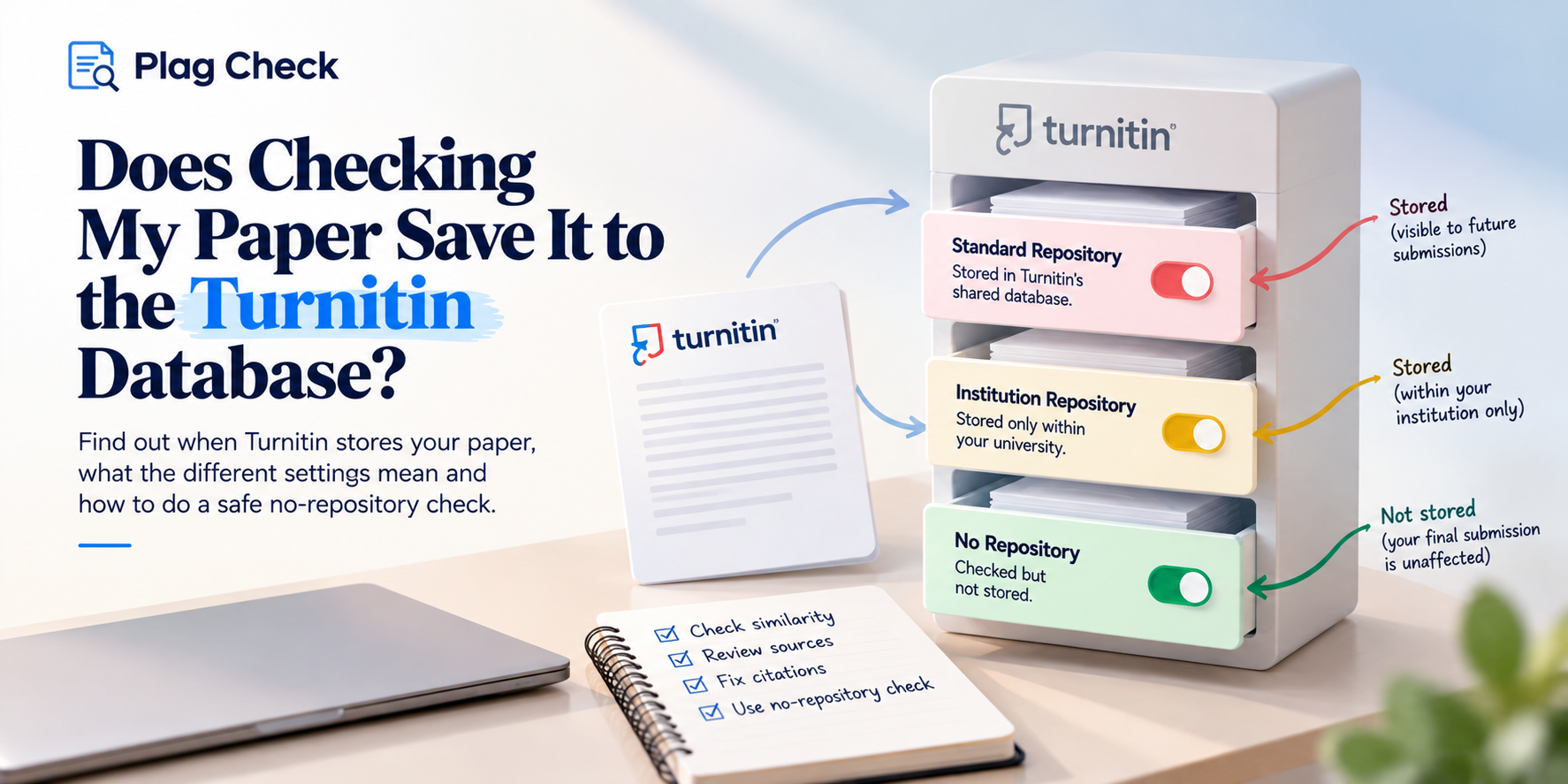
Because the score depends on settings and timing. Filters for quotes, bibliography and small matches change what is counted. The database also grows daily, so a later check can find new matches. And if an earlier version was stored in the repository, a resubmission will match it.
This is why comparing your score with a friend’s, or with a check you ran weeks ago, can be misleading. Treat each report as a snapshot of one document, one set of settings and one point in time. If you need a reliable view before your deadline, check the final version close to submission rather than an early draft.
Get your similarity report in about 15 minutes
Get your full Turnitin similarity and AI report in about 15 minutes. No account needed. Check my document
Frequently asked questions
What is a good Turnitin similarity score?
There is no universal figure. Many tutors are comfortable with well-referenced work under about 15% to 20%, but what matters is what the matches are. See our guide to good similarity scores.
Does the similarity score show plagiarism?
No. It shows matching text. Your tutor decides whether any of it is plagiarism by reading the matches in context.
Why does my report show a student paper match?
Turnitin keeps an archive of past student submissions. A match may be your own earlier draft, a resubmission or work by another student that shares sources or wording.
Does Turnitin check my reference list?
It does unless the bibliography filter is on. Many universities exclude it by default because citations naturally match other work.
Is the similarity score the same as the AI score?
No. Turnitin states they are independent measurements that do not affect each other.