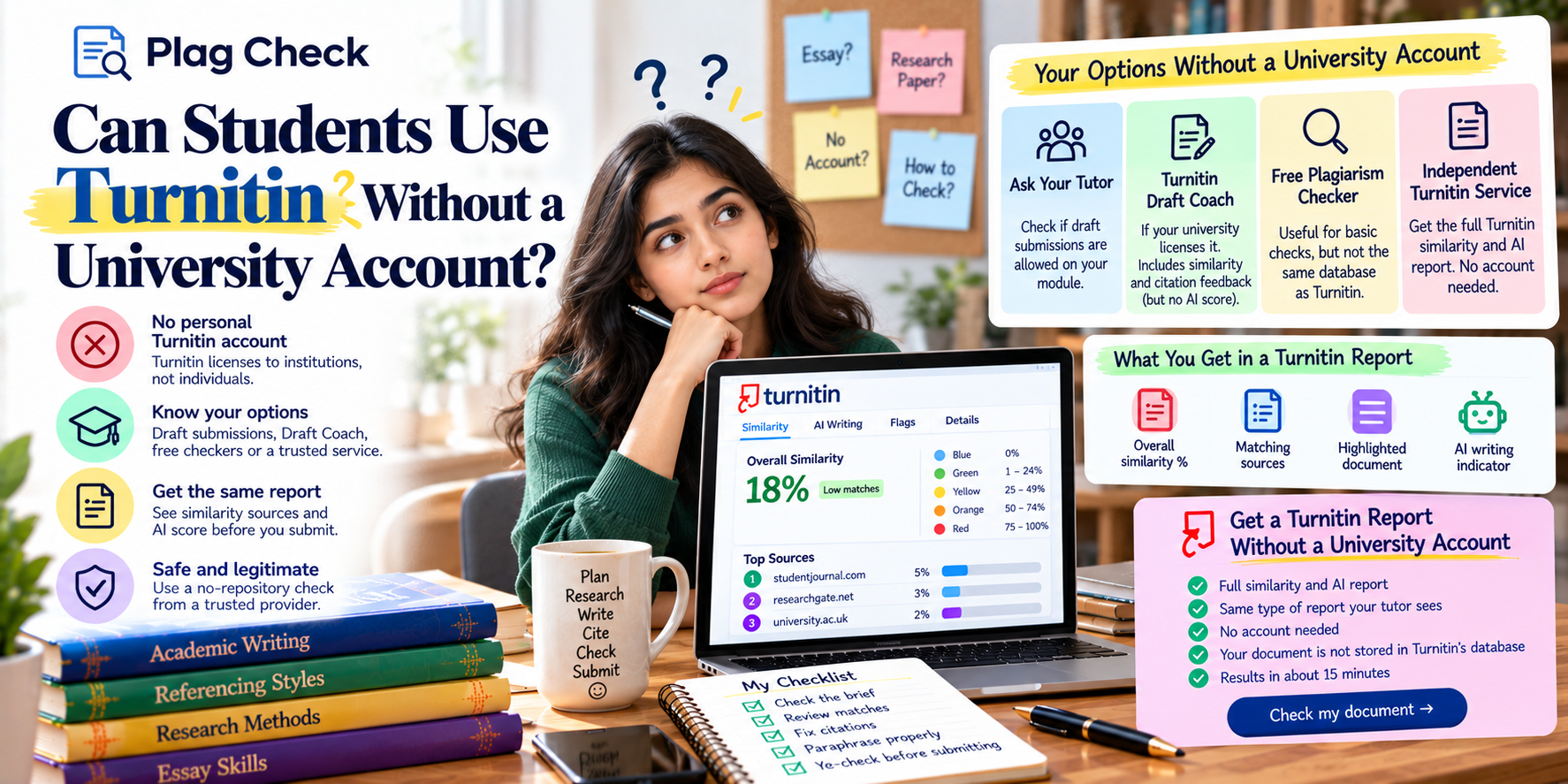
Turnitin colours show which band your similarity score falls into. Blue means no matching text, green means one matching word up to 24%, yellow means 25% to 49%, orange means 50% to 74% and red means 75% to 100%. The colour is a quick guide, not a verdict on plagiarism.
Seeing a coloured box next to your submission can be alarming, especially if it is not blue. This short guide explains what each colour means, which colours deserve attention, and why the coloured highlights inside your text are a different thing altogether.
For a full walkthrough of the report, read the Turnitin similarity report explained.
What do Turnitin’s colours mean?
Each colour represents a range of similarity percentages. The higher the percentage of your text that matches sources in Turnitin’s database, the further the colour moves from blue towards red. The colour applies to the overall score after any filters your tutor has set.
| Colour | Similarity range | What it usually means |
|---|---|---|
| Blue | No matching text | No matches found against Turnitin’s database |
| Green | One matching word to 24% | Typical for well-referenced work; still read the matches |
| Yellow | 25% to 49% | Worth a careful review of the largest sources |
| Orange | 50% to 74% | Large share of text matches; likely needs revision |
| Red | 75% to 100% | Most of the text matches existing sources |
The ranges above are Turnitin’s standard bands in its classic similarity report. Some Turnitin products and university platforms display scores slightly differently, so check your own view if the colours do not match.
Is a green score always safe?
Usually, but not always. Green covers everything from one matching word up to 24%. A green score made up of many small, cited matches is normal. A green score where one source accounts for most of it may mean a single passage needs quoting or rewriting.
Open the source list and check the top entry. If it is 1% or 2%, you are likely fine. If it is 10% or more on its own, read that passage carefully. Our guide to what a good Turnitin similarity score is gives ranges by paper type.
Is a yellow or orange score a problem?
A yellow score (25% to 49%) is worth a careful review but is not proof of plagiarism, especially in quote-heavy subjects. An orange score (50% to 74%) means half or more of your text matches other sources, which almost always needs revision unless it is mostly a reference list.
Before you worry, check whether your bibliography and quotes are being counted. These two filters alone can move a yellow score into green.
What does a red score mean?
Red means 75% or more of your text matches existing sources. Common causes are submitting a document that is already in Turnitin’s student paper archive, for example a resubmission or a draft that was stored, or a document that is mostly quoted material. It nearly always needs investigation.
If you get red on work you wrote yourself, the most likely reason is that an earlier version of the same document was stored. Read why your Turnitin score is high for what to do.
What do the coloured highlights in your text mean?
Inside the report, each matching source gets its own colour and number. Highlighted passages in your text use that source’s colour and number, so you can see which sentences match which source. These highlight colours are just labels; they do not indicate severity.
A red highlight does not mean a worse match than a green highlight. It simply identifies a different source. Always use the source list percentages to judge what matters.
Check your colour band before you submit
Get your full Turnitin similarity and AI report in about 15 minutes. No account needed. Check my document
Do the colours mean the same thing for AI scores?
No. The AI writing indicator is separate from the similarity score and uses its own display. It shows a percentage from 20% upwards, an asterisk for 1% to 19%, or a dash if the file was not processed. The similarity colour bands do not apply to the AI score.
For what each AI score means, see what AI score is acceptable on Turnitin.
How can you honestly move from yellow to green?
Fix the passages behind your largest matches. Add quotation marks and citations where you used a source’s exact words, rewrite close paraphrases in your own words and cite them, and make sure your reference list is formatted correctly. Do not use rewording tools to hide matches.
- Work from the top of the source list down.
- Quote short, important phrases rather than closely paraphrasing them.
- Add your own analysis between sources so the essay is not a chain of summaries.
- Re-check the final version before submitting.
Why might your colour differ from a friend’s on similar work?
Settings and content. Your tutor may exclude references or quotes while another module does not. Your essay may quote more. An earlier draft of yours may be stored. Each of these changes the percentage and therefore the colour, even for essays that look alike.
Colours also depend on the moment of the check. Turnitin’s database grows continuously, so a check run later can find matches that did not exist earlier. If you want an accurate view of your final colour band, check the final version close to your deadline, using a no-repository check.
How do tutors react to each colour?
Tutors generally skim blue and green reports, read yellow ones more carefully, and review orange and red reports in detail. The colour decides how closely a report is read, not the outcome. The decision always rests on what the matched passages are and whether they are credited.
| Colour | Typical tutor response (estimate) |
|---|---|
| Blue or green | Quick check of the top sources |
| Yellow | Reads the largest matches; checks citations |
| Orange | Detailed review; may ask questions |
| Red | Full investigation of sources and drafts |
If you would rather know your band in advance, see how to check your Turnitin score before submitting.
Do colours look the same in every university platform?
Not always. Moodle, Canvas, Blackboard and Brightspace display Turnitin results slightly differently, and Turnitin’s newer report views may present the score with less emphasis on colour. The percentage is what matters; the colour is just a visual shortcut to the band it falls in.
If your platform shows only a number, use the table at the top of this guide to work out the band. If it shows a colour without a number, open the full report to see the percentage and the source list.
Whichever view you see, the same rule applies: read the matched sources before drawing conclusions. Our similarity report guide shows where to find them.
Frequently asked questions
What does green mean on Turnitin?
Green means your similarity score is between one matching word and 24%. It is the most common band for referenced coursework.
What does blue mean on Turnitin?
Blue means no matching text was found in Turnitin’s database.
Is yellow on Turnitin bad?
Not necessarily. Yellow is 25% to 49%. Review the largest sources and check whether quotes and references are counted before worrying.
What does red mean on Turnitin?
Red means 75% to 100% of the text matches other sources. It often indicates a resubmitted or previously stored document and needs checking.
Do highlight colours show how serious a match is?
No. Highlight colours identify different sources. Use the percentage beside each source to judge its size.