Turnitin, Grammarly and Copyleaks all check for plagiarism and AI writing, but they use different databases and models, so their scores rarely match. If your university uses Turnitin, only a Turnitin report shows what your tutor will see. Grammarly suits writing support, and Copyleaks is strong on web and code matching.
Students often run an essay through Grammarly, get a low score, then receive a higher one from Turnitin. That is not a glitch. The tools are built for different people and check different content. This comparison explains the differences and when each tool makes sense.
How do Turnitin, Grammarly and Copyleaks differ?
Turnitin is built for institutions and marking. Grammarly is a writing assistant with a plagiarism and AI checker added. Copyleaks is a standalone plagiarism and AI detection platform for education and business. Each compares your work against a different mix of sources.
| Feature | Turnitin | Grammarly | Copyleaks |
|---|---|---|---|
| Main users | Universities and schools | Individual writers | Education and business |
| Who can buy | Institutions only | Individuals and teams | Individuals and organisations |
| Student paper archive | Yes, large archive | No | Its own stored submissions (verify) |
| Web and publications | Yes, including licensed content | Web pages and academic databases (verify) | Web, publications and code (verify) |
| AI detection | AI writing indicator | AI detector | AI detector |
| Matches your tutor’s report | Yes (if your university uses Turnitin) | No | No |
Which databases does each tool check?
Turnitin checks the web, licensed publications and its archive of student papers. Grammarly checks web pages and academic databases. Copyleaks checks the web, publications and its own repository. The student paper archive is the biggest difference: only Turnitin can match work submitted at other universities.
That archive is why shared notes, reused essays and purchased work are more likely to show up in Turnitin than in other tools.
Which tools detect AI writing?
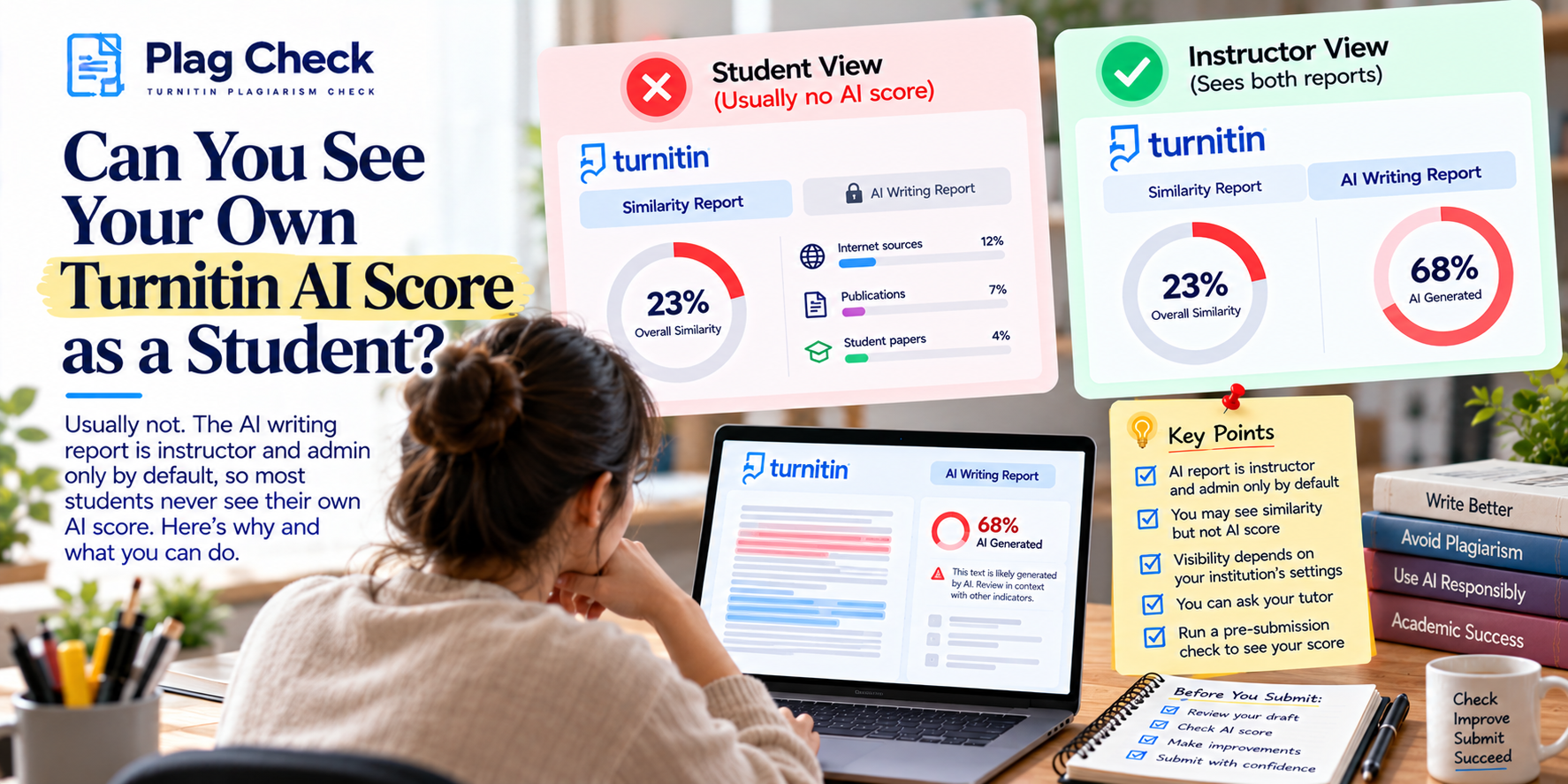
All three offer AI detection, each with its own model. Turnitin’s AI indicator is only available to institutions with the right licence and is not visible to students in normal submissions. Grammarly and Copyleaks offer AI detection directly to individual users.
Independent tests show mixed results. A 2023 study by Walters found Turnitin and Copyleaks were the only two of 16 detectors to classify all 126 test documents correctly. A June 2026 peer-reviewed study in the International Journal for Educational Integrity found Turnitin and Copyleaks both missed fully AI-generated long papers in its sample, while producing no false positives on human writing.
For how Turnitin’s AI score works, read Turnitin AI detection explained.
Will Grammarly’s score match Turnitin’s?
Rarely. Grammarly cannot see Turnitin’s student paper archive or all the publications Turnitin licenses, and filters differ. A low Grammarly score is a good sign for web copying, but it does not predict your Turnitin score. AI scores also differ because the models are different.
Grammarly’s writing features can also affect Turnitin’s AI score. Turnitin says ordinary grammar corrections are generally not flagged, but Grammarly’s generative features, such as rewriting and paraphrasing, are likely to be.
| Need the report your tutor will see?Get a full Turnitin similarity and AI report in about 15 minutes. No account needed. Check my document |
Which checker should students use?
Use the checker your university uses. If that is Turnitin, a Turnitin report is the only accurate preview. Use Grammarly for grammar and clarity while drafting. Use Copyleaks or similar tools if your institution uses them or you need code checking.
| Your situation | Best choice |
|---|---|
| University marks with Turnitin | Turnitin pre-submission check |
| Improving grammar and clarity | Grammarly (grammar features only for assessed work) |
| Checking code or business content | Copyleaks or similar |
| Quick check for obvious web copying | Any reputable free or paid tool |
| Dissertation or high-stakes submission | Turnitin pre-submission check |
What about free alternatives?
Free tools can catch obvious copying from public websites, but they do not reflect Turnitin’s database or AI model. Use them as a first pass at most. For anything high stakes, use the same system your university uses.
See free Turnitin checkers: do they exist and are they safe? and how to check your Turnitin score before submitting.
How do the reports look different?
Turnitin shows a similarity percentage, ranked sources and numbered highlights, plus a separate AI report. Grammarly shows plagiarism alerts alongside writing suggestions inside its editor. Copyleaks shows a results page with matched sources, match types and an AI verdict. Only Turnitin’s format matches what your tutor reviews.
If you are preparing for a meeting with your tutor about a report, practise with the same report format. It makes it far easier to explain each match.
Can you use more than one checker?
Yes, and it can be useful during drafting. Use a grammar tool for clarity, a free checker to spot obvious copying early, and a Turnitin check on the final version. Just remember that different tools will give different numbers, and only the Turnitin score predicts your tutor’s view.
- Draft in a tool with version history switched on.
- Use grammar checks for spelling and punctuation only on assessed work.
- Fix citations as you write.
- Run a Turnitin check on the final version 24 to 72 hours before the deadline.
Running many checks on the same document is unnecessary. Focus on one good check at the end.
What about privacy and storage?
Each tool handles uploaded documents differently. Some store submissions in their own database, others delete them after processing, and settings may differ between free and paid plans. Before uploading assessed work to any checker, read its privacy policy and confirm whether your document is stored.
Turnitin storage depends on your institution’s assignment settings. For independent checks, confirm the provider uses a no-repository setting. Read does Turnitin save my paper? for details.
Storage matters because a stored document can match your later submission, and because your work is your intellectual property. Choose tools that are clear about what they do with it.
| Question to ask any checker | Why it matters |
|---|---|
| Is my document stored? | Avoids self-matches later |
| How long is it kept? | Protects your work |
| Is it shared or sold? | Privacy and ownership |
Frequently asked questions
Is Grammarly as good as Turnitin for plagiarism?
They serve different purposes. Grammarly is a writing assistant with a plagiarism checker; Turnitin is built for institutional marking and includes a student paper archive Grammarly cannot access.
Does Turnitin detect Grammarly?
Turnitin says ordinary grammar corrections are generally not flagged, but Grammarly’s generative and paraphrasing features are likely to be flagged as AI writing.
Is Copyleaks more accurate than Turnitin?
Results depend on the test. A 2023 study found both classified all test documents correctly; a 2026 study found both missed fully AI-generated long papers. Neither is perfect.
Why do plagiarism checkers give different scores?
They compare your work against different databases with different settings, and use different AI models.
Which checker do most universities use?
Turnitin is widely used, but some universities use other tools. Check your module handbook or submission portal.